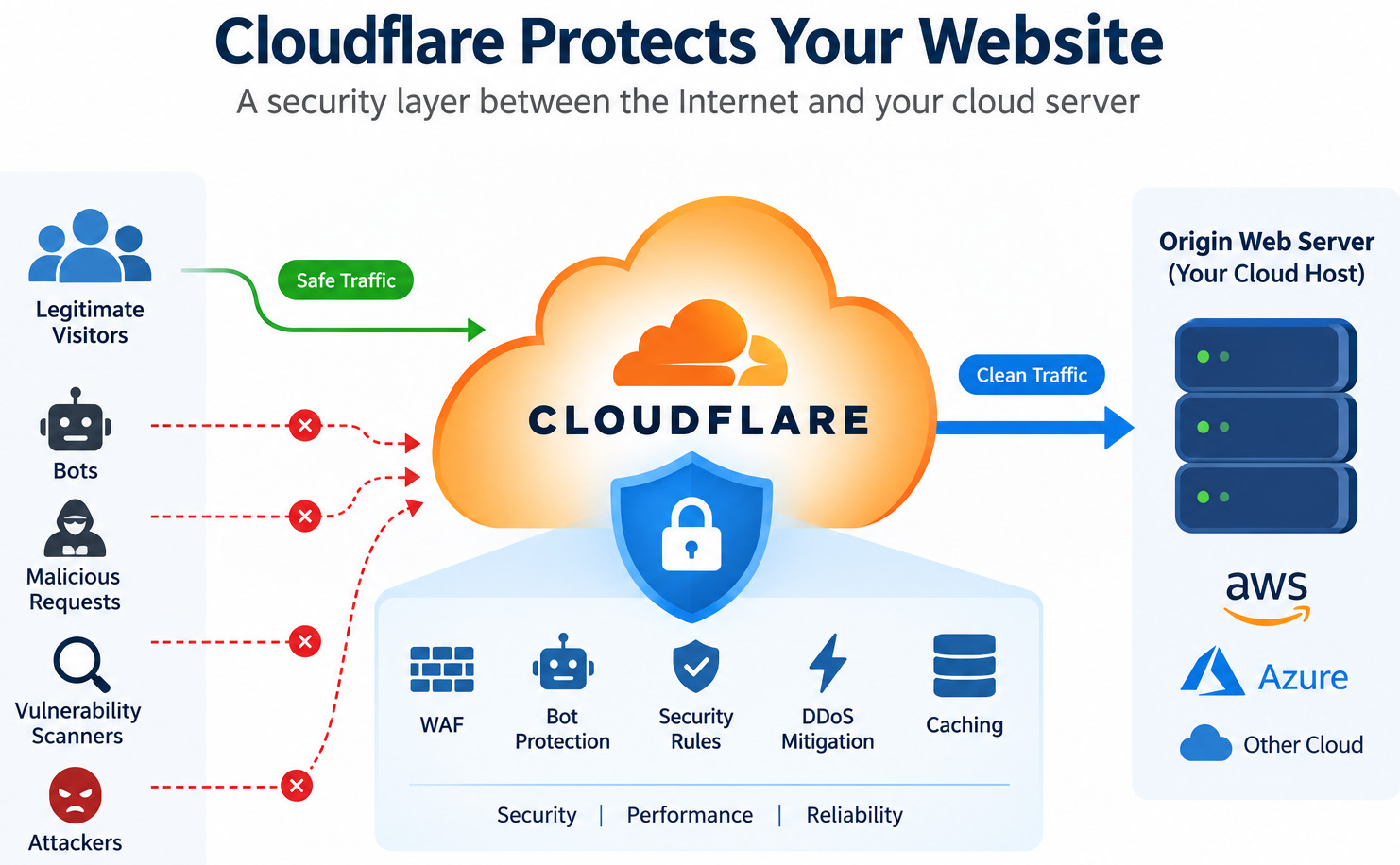
When hosting a website on AWS, Azure, or another cloud platform, making the web server publicly accessible is only the first step. A public website is continuously exposed to automated bots, vulnerability scanners, malicious requests, and other Internet threats.
Cloudflare can provide an additional security layer between visitors and the origin web server. Even with the Cloudflare Free plan, several useful security features are available.
In this guide, I will walk through the essential Cloudflare settings I use to protect a cloud-hosted website.
1. Enable Cloudflare Proxy
After adding the domain to Cloudflare, configure the DNS record for the web server and enable Proxy status.
The DNS record should display the orange cloud (Proxied) rather than DNS Only.
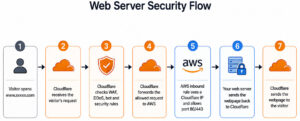
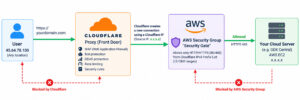
With the proxy enabled, normal web traffic follows this path:
Visitor → Cloudflare → Origin Web Server
This allows Cloudflare’s security, TLS, caching, and traffic-management features to operate in front of the origin server.
2. Configure SSL/TLS as Full (Strict)
Navigate to:
SSL/TLS → Overview
Set the encryption mode to:
Full (Strict)
This provides encrypted connections on both sides:
Visitor 🔒 → Cloudflare 🔒 → Origin Server
Full (Strict) also requires Cloudflare to validate the certificate presented by the origin server. The origin therefore needs an appropriate valid certificate, such as a publicly trusted certificate or a suitable Cloudflare Origin CA certificate.
Avoid using Flexible mode when end-to-end encryption is required.
3. SSL/TLS (Edge Certificates)
Cloudflare Edge Certificates help secure the connection between website visitors and Cloudflare. For a public website, the following settings are recommended to improve HTTPS security, compatibility, and performance.
I. Always Use HTTPS — ON
Always Use HTTPS automatically redirects all HTTP requests to HTTPS.
II. Opportunistic Encryption — ON
Opportunistic Encryption allows supported browsers to benefit from encrypted connections and modern HTTP performance features where applicable.
Concept: It provides additional encryption and performance benefits for compatible connections. It can safely remain enabled for most websites.
III. TLS 1.3 — ON
TLS 1.3 is a modern version of the Transport Layer Security protocol used to protect HTTPS communications.
Concept: Enabling TLS 1.3 provides stronger modern cryptography and can establish secure connections more efficiently than older TLS versions.
IV. Automatic HTTPS Rewrites — ON
Automatic HTTPS Rewrites helps resolve mixed-content problems by changing eligible resource references from HTTP to HTTPS when those resources are available securely.
Short Note: These settings help enforce HTTPS, improve encrypted communication, support modern TLS, and reduce mixed-content issues. For stronger end-to-end protection, they should be used together with SSL/TLS encryption mode: Full (Strict) when the origin server has a valid certificate.
4. Enable Cloudflare Managed WAF Protection
Go to:
Cloudflare Dashboard → Security → Settings → Cloudflare Managed Ruleset
Make sure the Cloudflare Managed Ruleset is active.
Cloudflare Managed WAF — Active
The Web Application Firewall (WAF) analyzes incoming HTTP/HTTPS requests and helps detect malicious traffic before it reaches the origin web server.
It can help protect against common web attacks and known vulnerability patterns, including:
- SQL injection
- Code injection
- Remote Code Execution (RCE) attempts
- Log4j and Shellshock-related attacks
- Known application and CMS vulnerabilities
Short Concept:
The WAF acts as a security layer between the Internet and the origin web server:
Visitor / Attacker → Cloudflare WAF 🛡️ → Origin Web Server
When a request matches an applicable malicious pattern, Cloudflare can take an action such as Block before the request reaches the origin through the proxied route.
5. Enable Bot Protection with Bot Fight Mode
Go to:
Cloudflare Dashboard → Security → Settings → Bot Fight Mode
Set:
Bot Fight Mode → ON
What is Bot Fight Mode?
Bot Fight Mode helps Cloudflare detect and mitigate certain automated bot traffic before it reaches the origin web server.
Bots may be used for activities such as automated scanning, scraping, vulnerability probing, or other unwanted requests.
Short Concept:
Bot Fight Mode adds another protection layer against unwanted automated traffic:
Bot / Automated Request → Cloudflare Bot Protection 🤖🛡️ → Website
Suspicious automated traffic may be challenged or mitigated by Cloudflare, helping reduce unnecessary requests reaching the origin server.
6. Enable Browser Integrity Check
Go to:
Cloudflare Dashboard → Security → Settings → Browser Integrity Check
Set:
Browser Integrity Check → ON
What is Browser Integrity Check?
Browser Integrity Check examines incoming visitors’ HTTP headers and looks for characteristics commonly associated with abusive or suspicious requests.
If Cloudflare identifies a request as potentially harmful, it can prevent that request from reaching the origin web server.
Short Concept:
Browser Integrity Check provides an additional security layer by checking whether incoming browser requests appear legitimate.
Visitor → Cloudflare Browser Integrity Check 🌐🛡️ → Web Server
7. Monitor Security Events
Go to:
Cloudflare Dashboard → Security → Analytics → Events
What are Security Events?
Security Events allows you to review requests where Cloudflare’s security protections have taken action or detected suspicious activity.
You can use this page to investigate information such as:
- Blocked or challenged requests
- WAF rule matches
- Bot-related activity
- Source IP addresses and countries
- Targeted URLs
- HTTP request methods
- The security rule that triggered the event
Short Concept:
Security Events helps administrators understand what Cloudflare detected, what was targeted, and what action Cloudflare took.
Suspicious Request → Cloudflare Security 🛡️ → Block / Challenge → Security Event 📊
Conclusion
Securing a cloud-hosted website does not end with installing HTTPS on the web server. The public-facing application also needs protection against malicious HTTP requests, automated bots, vulnerability scanning, and attempts to exploit known vulnerabilities.
Source Link;
Enable Proxy protocol · Cloudflare Spectrum docs
Full (strict) – SSL/TLS encryption modes · Cloudflare SSL/TLS docs
Always Use HTTPS · Cloudflare SSL/TLS docs
Automatic HTTPS Rewrites · Cloudflare SSL/TLS docs
Managed Rules · Cloudflare Web Application Firewall (WAF) docs